

Windows app
Command Desk
Command Desk replies as your Twitch broadcaster account. Compose commands from steps: choose a chatter, line, number or text, then assemble the reply. Edit every phrase and intermediate step. Send colored announcements and schedule messages with activity and time limits.
Requirements: Windows 10/11 x64 · Twitch account · internet. No OBS or Streamer.bot required.
Direct downloads from GitHub Releases. Windows x64.
Screenshots
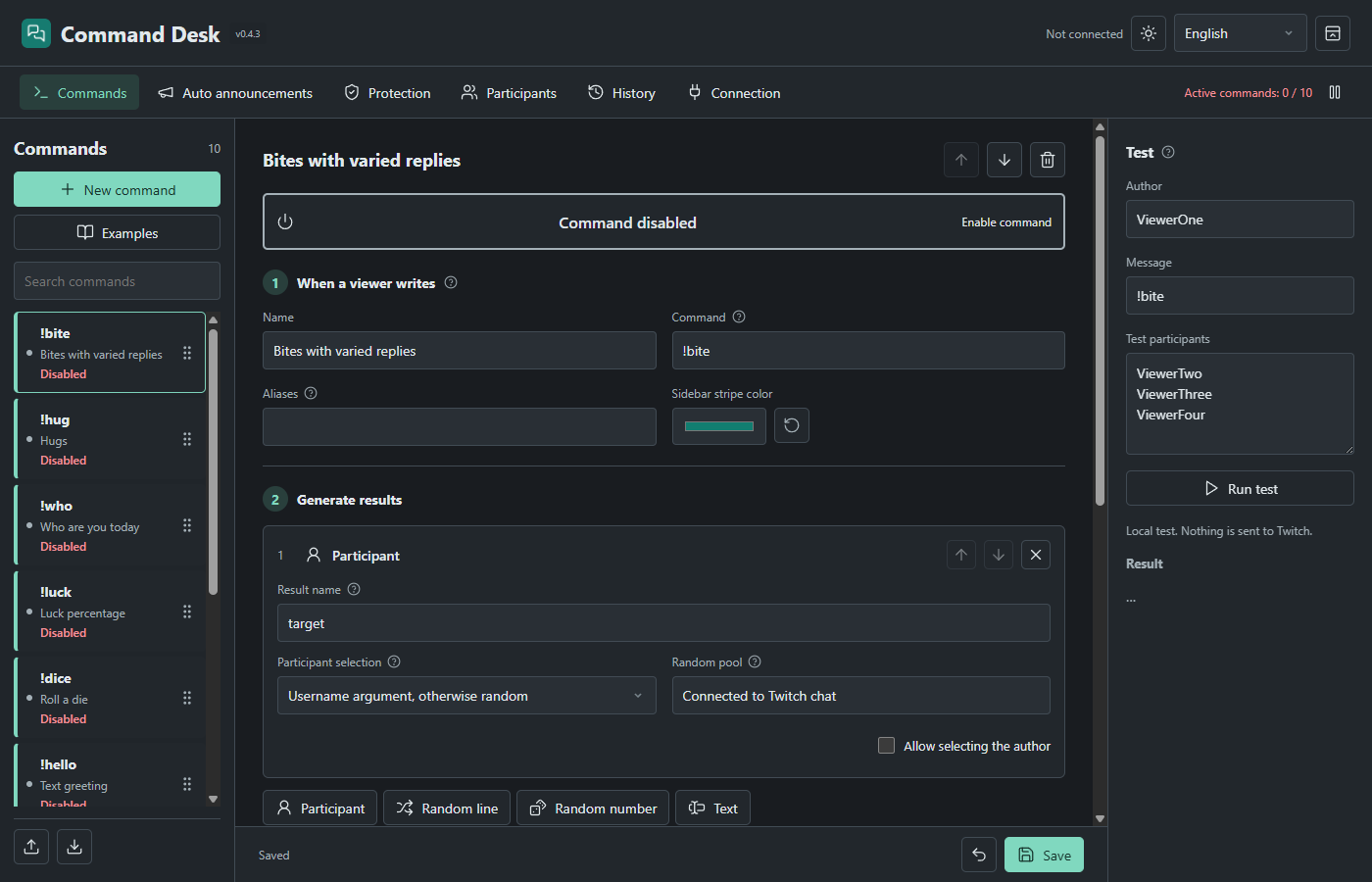
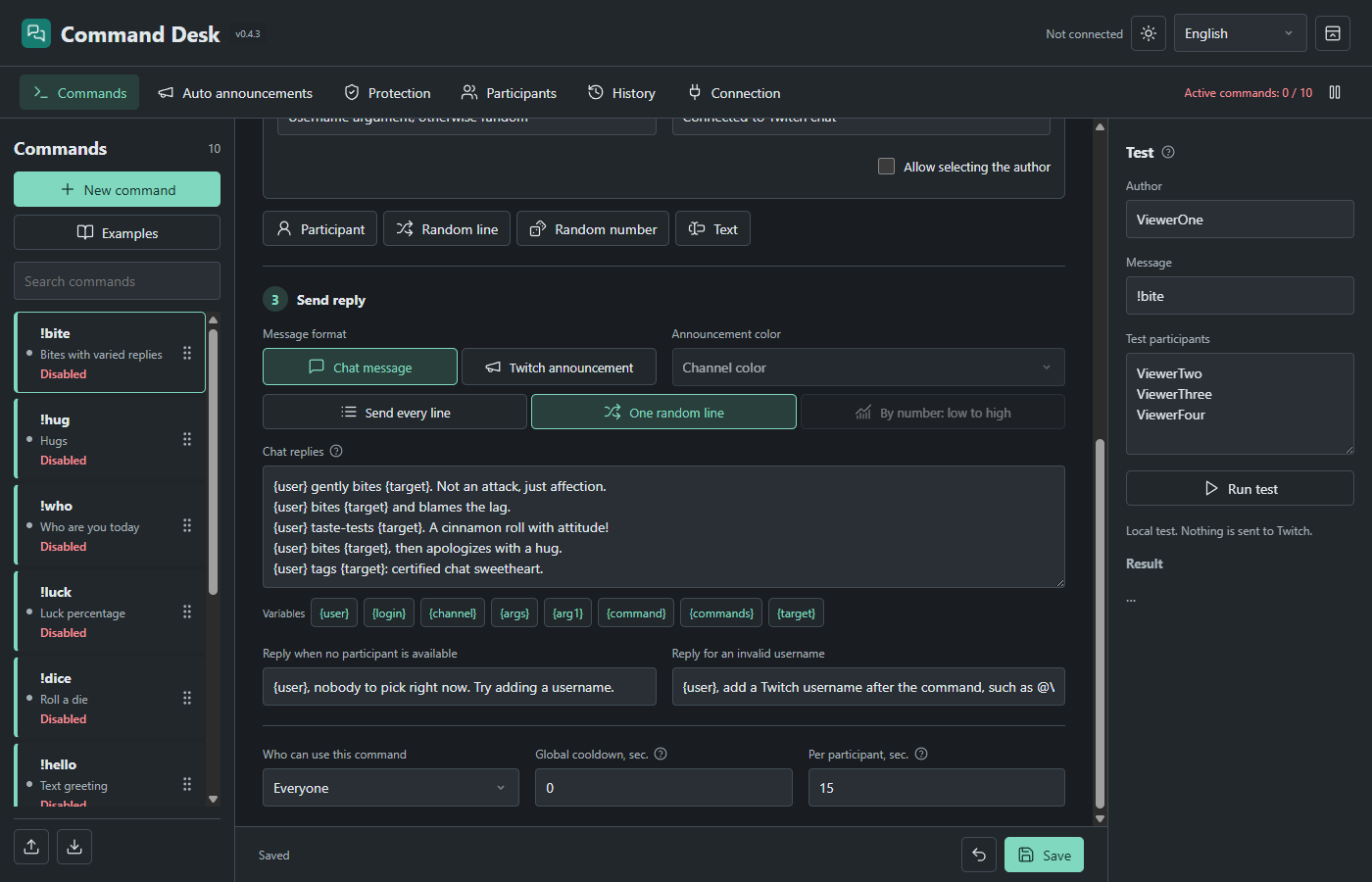
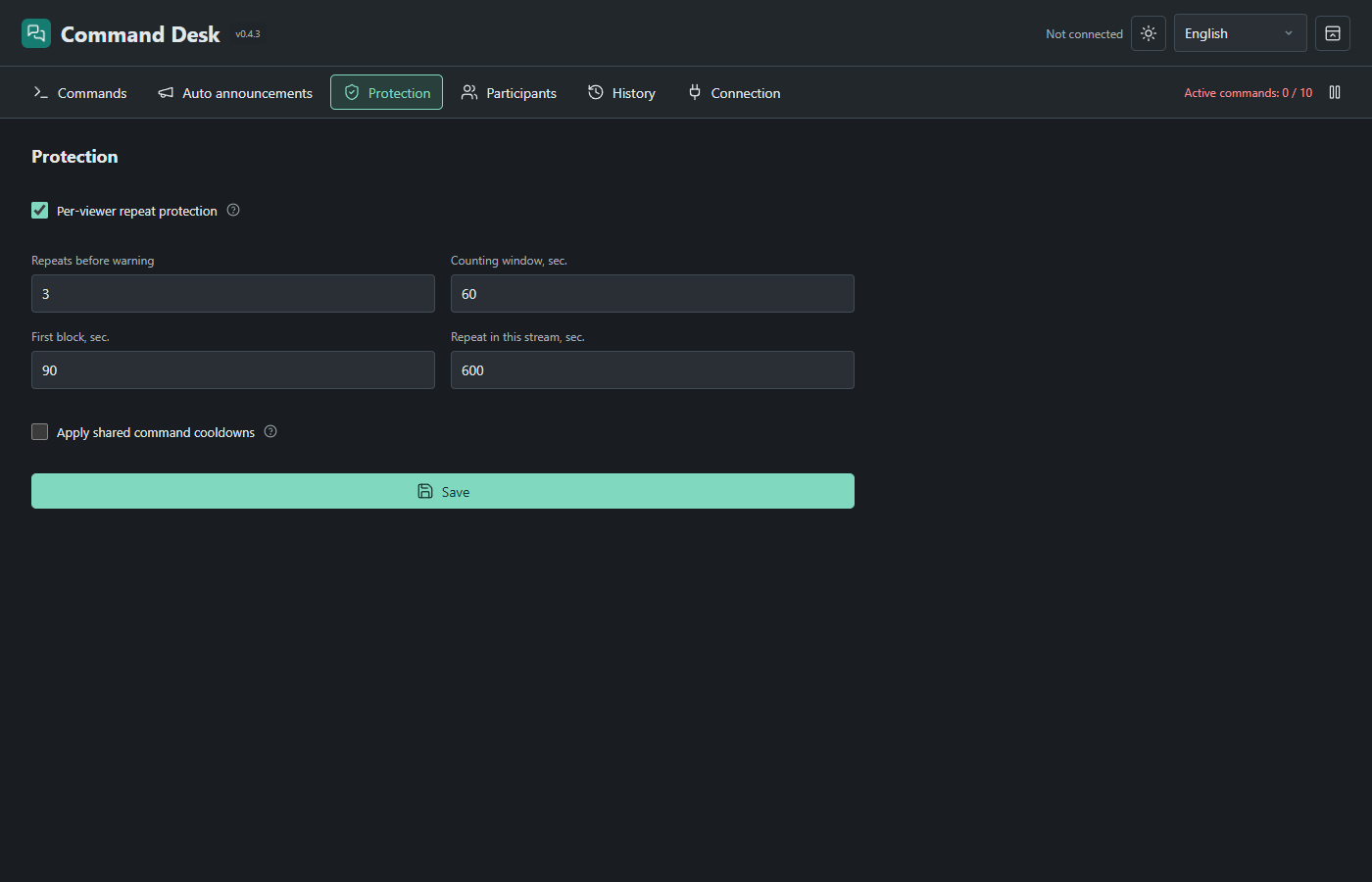
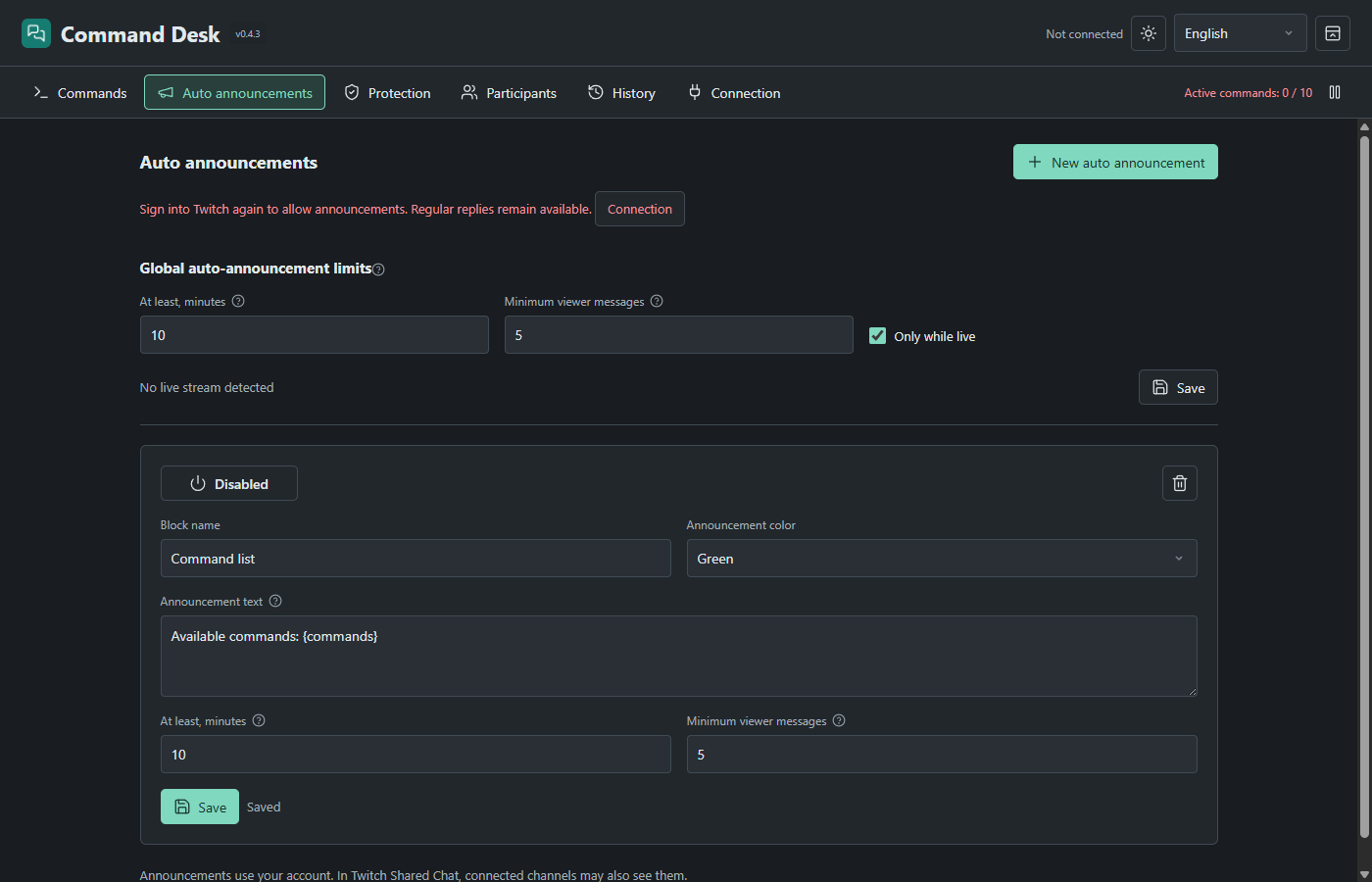
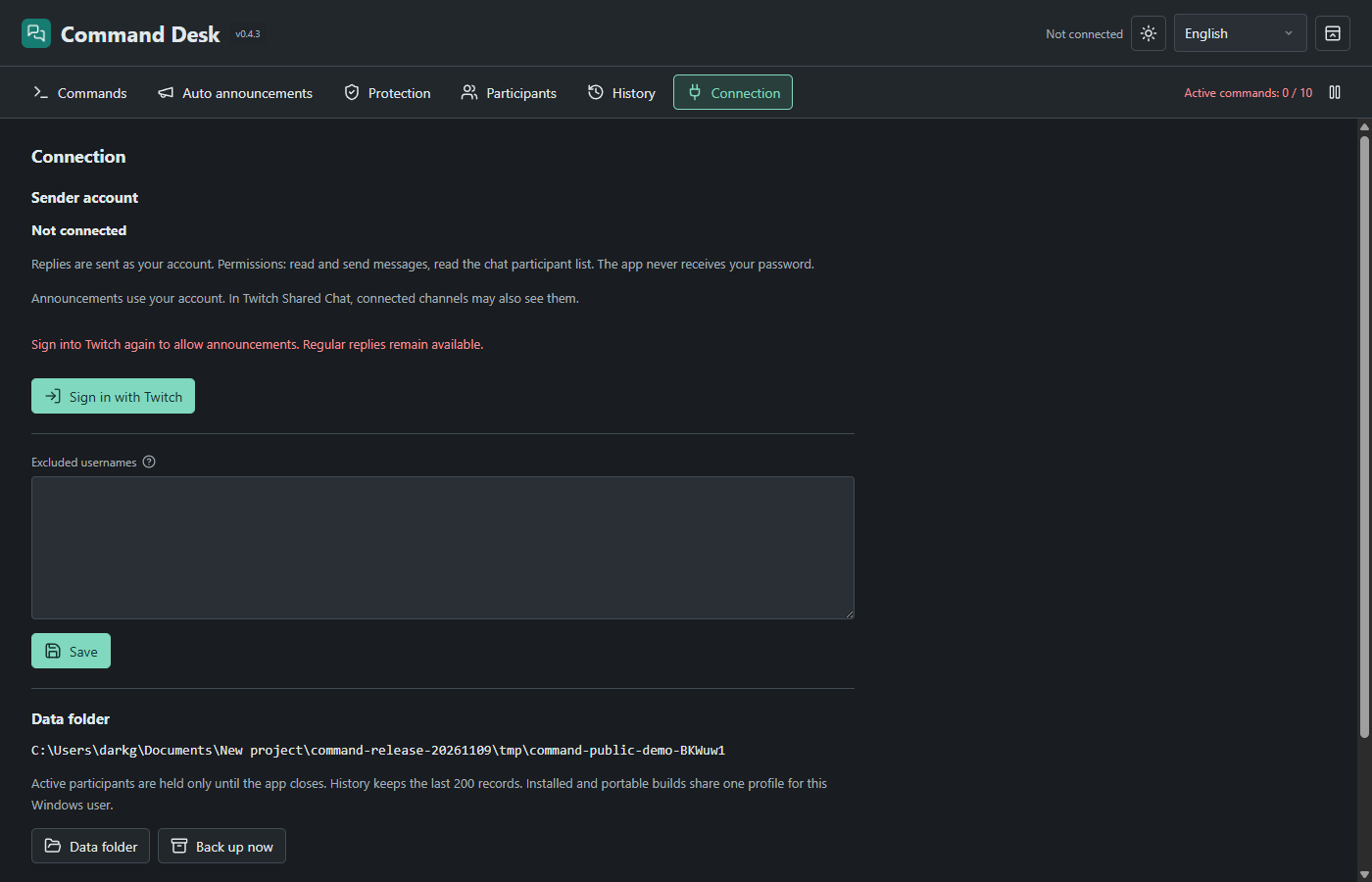
Screenshots use demo accounts. Downloads contain no personal databases. The local badge editor is currently in Russian; badge text can use your own language.
What it does
- Ten editable examples and a command-list timer included with every fresh profile.
- Configurable per-viewer repeat protection: by default, a third identical command within 60 seconds warns, the next blocks commands for 90 seconds, and a repeat violation during the stream blocks them for 10 minutes. Twitch chat itself remains available.
- Quiet mode caps commands across the whole chat per minute without sending a cooldown notice to every viewer. Random replies and targets avoid immediate repeats when alternatives exist. Trailing spaces are accepted.
- Different viewers do not block one another: shared cooldowns are off by default. Replies wait in a rate-limited queue, and manual command-list requests work after automatic announcements.
- A random number can select an ordered reply from low to high: arrange lines from bad to good. Independent random selection is also available.
- Reorder commands with drag-and-drop or arrows and always-visible color stripes. Independent unfinished drafts never block switching commands.
- Direct Chat message / Twitch announcement buttons, @mentions for every participant, a visible caret and restored editor focus after returning from the tray.
- Varied affectionate, funny and sarcastic replies for targeted commands.
- Direct Twitch connection: no Streamer.bot, separate account or hosted backend.
- Equal chance per chatter regardless of message count; known bot filtering and custom exclusions.
- Local testing, backups, import/export and a global pause. Updates retain commands, drafts, settings and Twitch sign-in.
- No catch-up announcement bursts after restarting, and no automatic resend after ambiguous network failures.
Installation
- Download and run the EXE installer. No personal settings or authorization are bundled.
- Open Connection → Sign in with Twitch → Open Twitch. Confirm the code and permissions for chat, chatters and announcements.
- A new profile includes ten commands and a command-list timer, all disabled. Replace the Telegram and Discord placeholders with your own links.
- Select a command, edit its steps and reply. The right-side test runs locally and sends nothing to Twitch.
- Save your edits and enable the commands you need using the large switch. Configure and enable auto announcements separately.
- Launch Desk OBS 0.3.0+ detects Command Desk and starts it with OBS, either in a normal window or in the tray.
Portable ZIP
Portable means no installation. Both builds under the same Windows account share one profile, not a database next to the executable.
- Extract the ZIP into a permanent folder and run CommandDesk.exe.
- Sign in and configure your commands. To move to another PC, export commands and sign in again.
Settings and controls
| Setting | What it does |
|---|---|
| Commands and aliases | Editable triggers including Cyrillic, access roles and global/user cooldowns. |
| Steps and variables | Up to 12 steps: chatter, random line, number and text. Results are available to later steps and replies. |
| Choosing a chatter | Explicit username or a random connected chatter, including silent users. This is not the entire video-viewer list; Twitch updates it with a delay. |
| Reply | One random line from up to 100 choices, or up to three sequential lines. Regular message or colored announcement. |
| Auto announcements | Defaults: at least 10 minutes, five viewer messages, live only. Both time and activity gates must pass. |
| Command list | {commands} expands to enabled accessible commands. Timers list only commands available to everyone. |
| Language and theme | English, Ukrainian and Russian; light and dark themes. Your own text is never automatically translated. |
Update without losing your data
Close the app and install the newer EXE over it, or replace the portable files. Commands, text, enabled states, history and sign-in are retained. Examples are seeded only into new profiles; deleted examples stay deleted. Uninstalling preserves the profile.
Data and security
%APPDATA%\CommandDesk
Verify your download
Builds are not code-signed, so Windows may show a reputation warning. Verify the source and SHA256 checksums; do not disable system protection.
Compare your downloaded file’s hash with the published value. The links beside each hash open the release checksum files.