

Windows application
Dudos Desk
Dudos Desk turns Twitch rewards into playful distractions on your screen. Configure two roulettes, test before going live and add a dedicated OBS browser source so viewers can see the effects.
Requirements: Windows 10/11 x64; OBS Studio with a browser source. Twitch rewards require a channel eligible for Channel Points. Compatibility with every game or anti-cheat is not guaranteed.
Direct downloads from GitHub Releases. Windows x64.
Screenshots
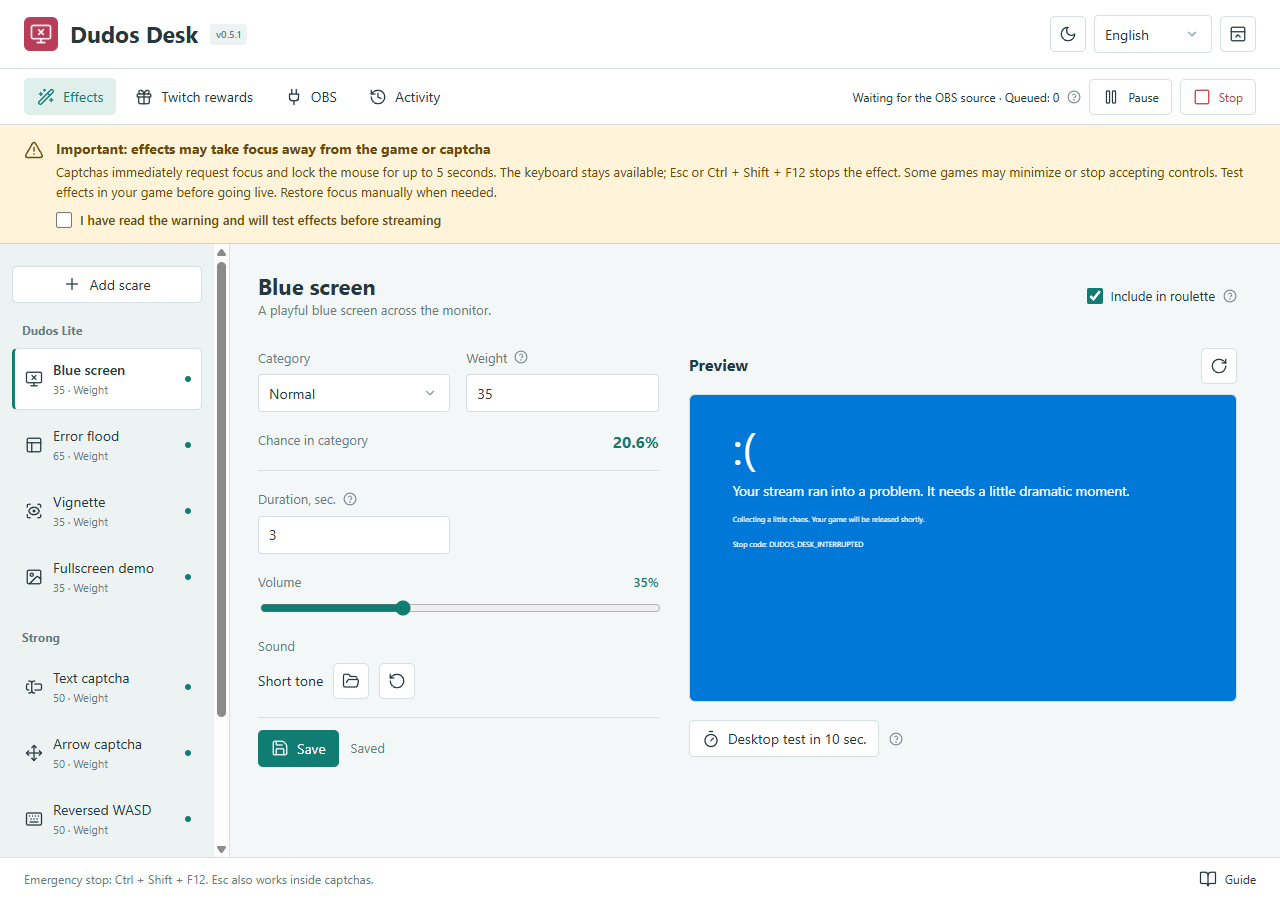
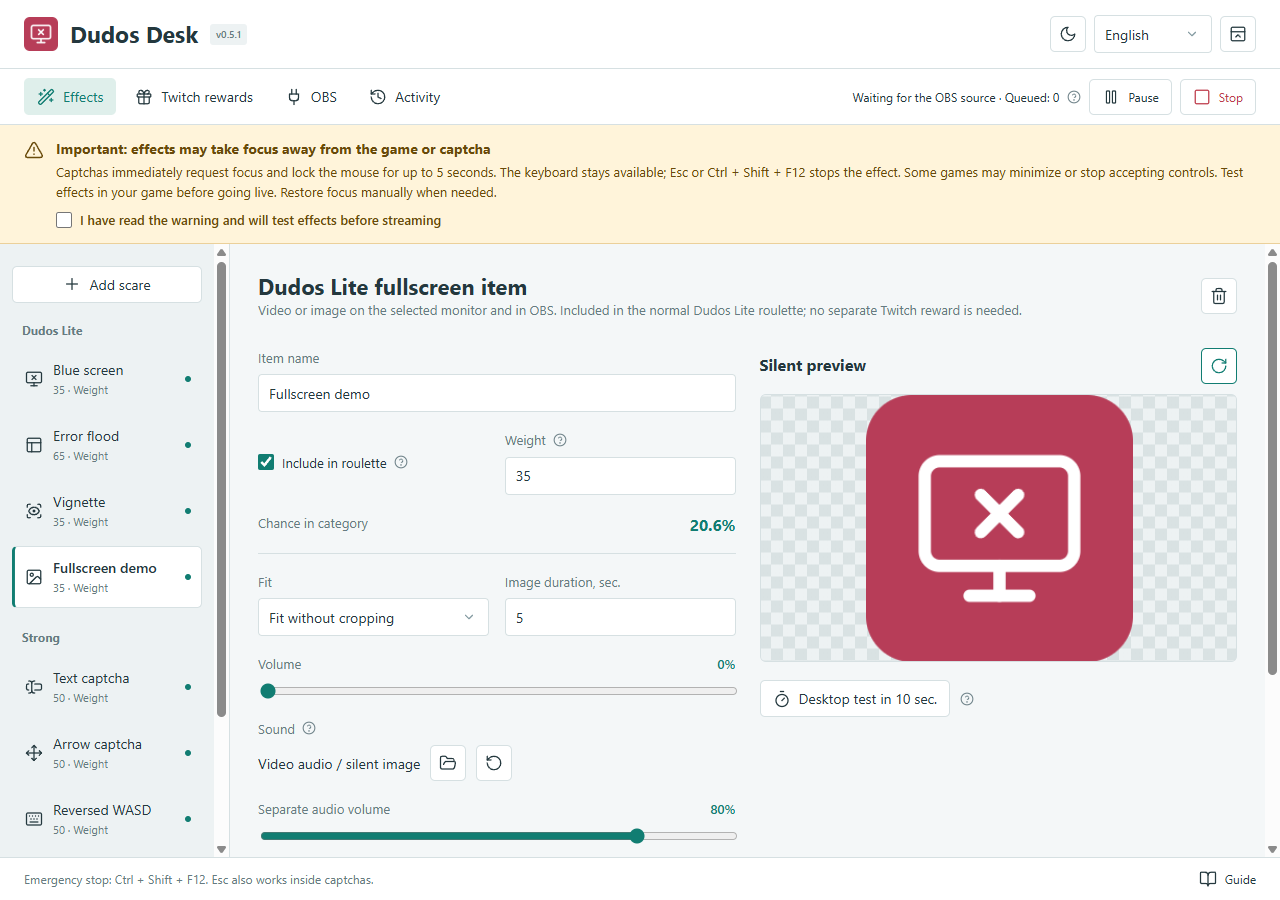
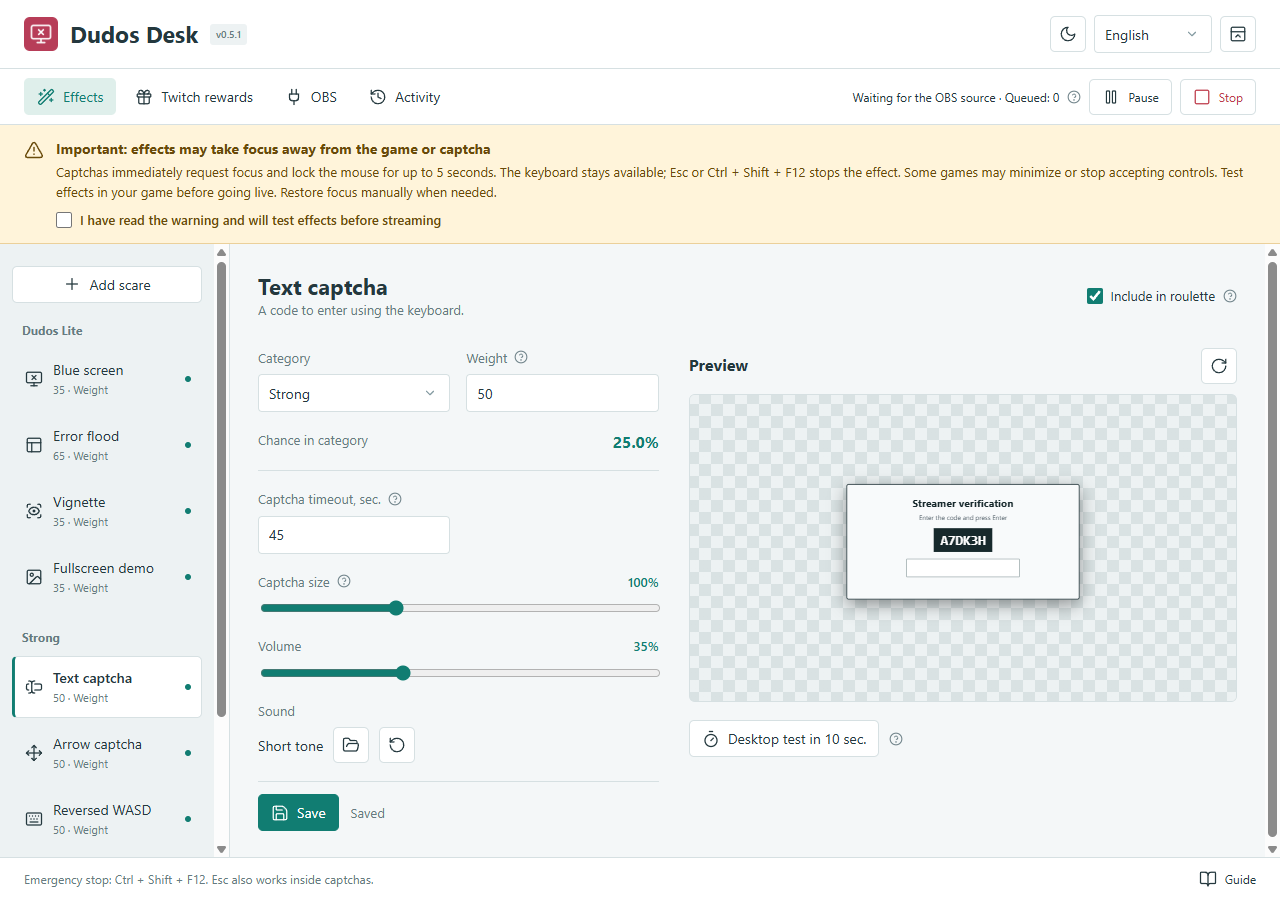
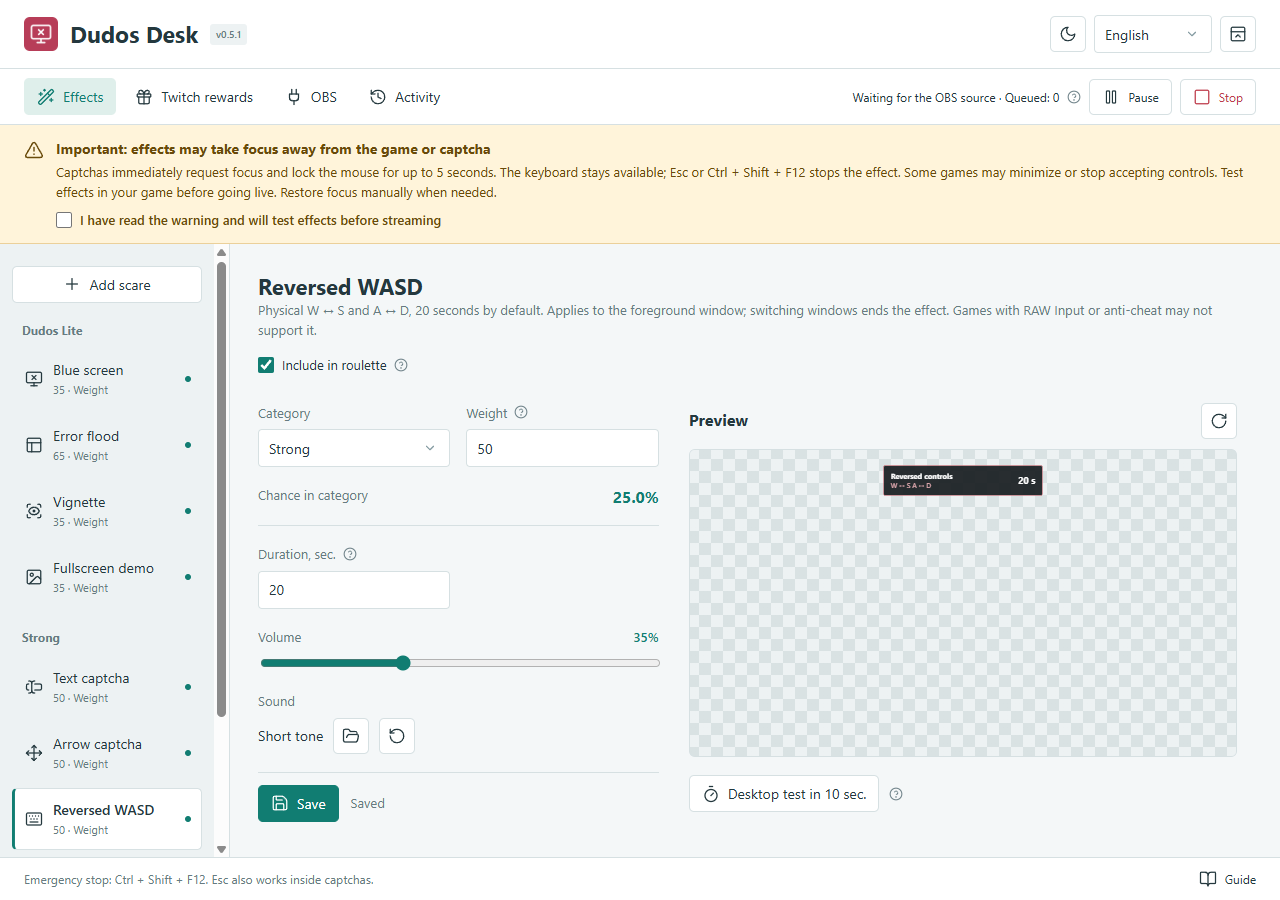
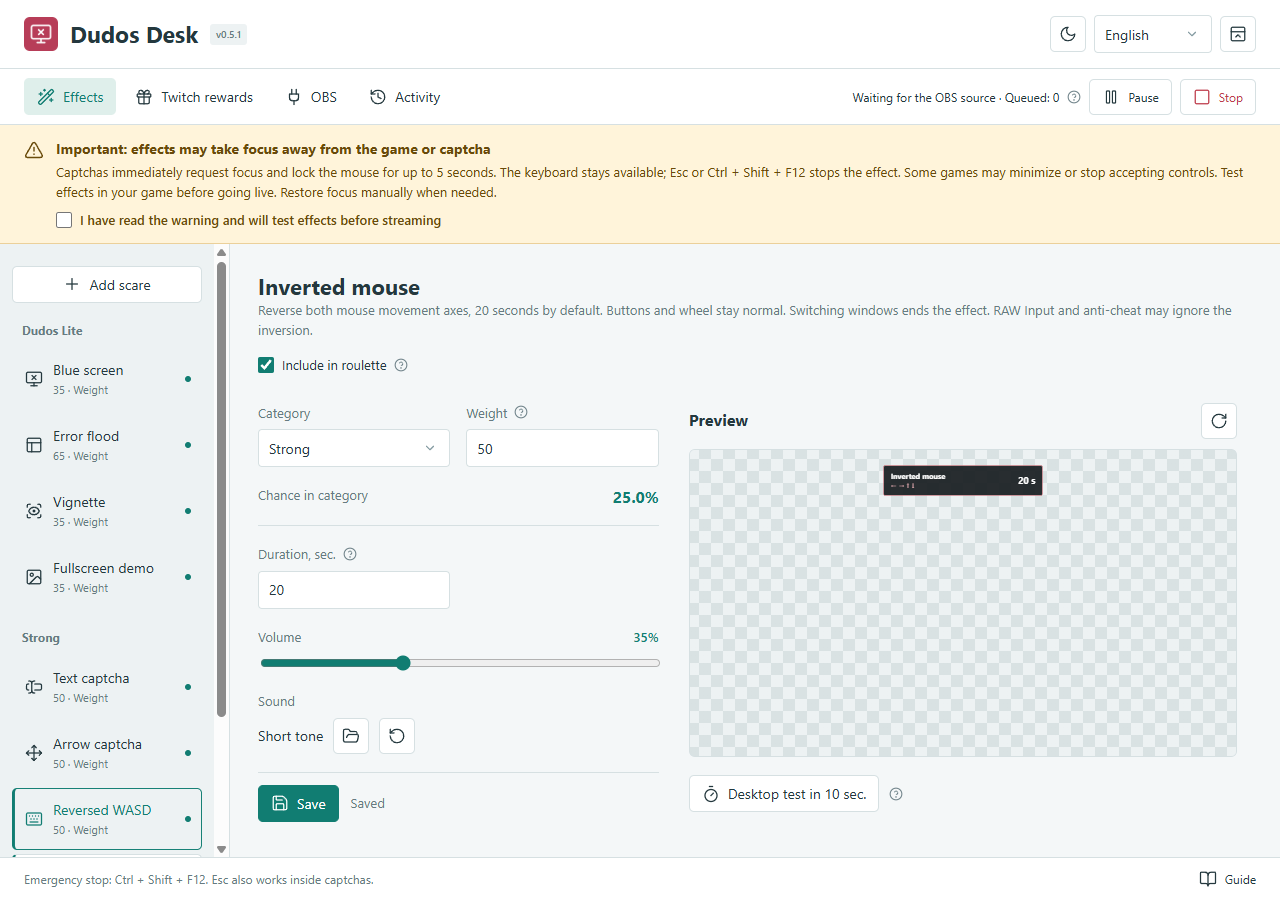
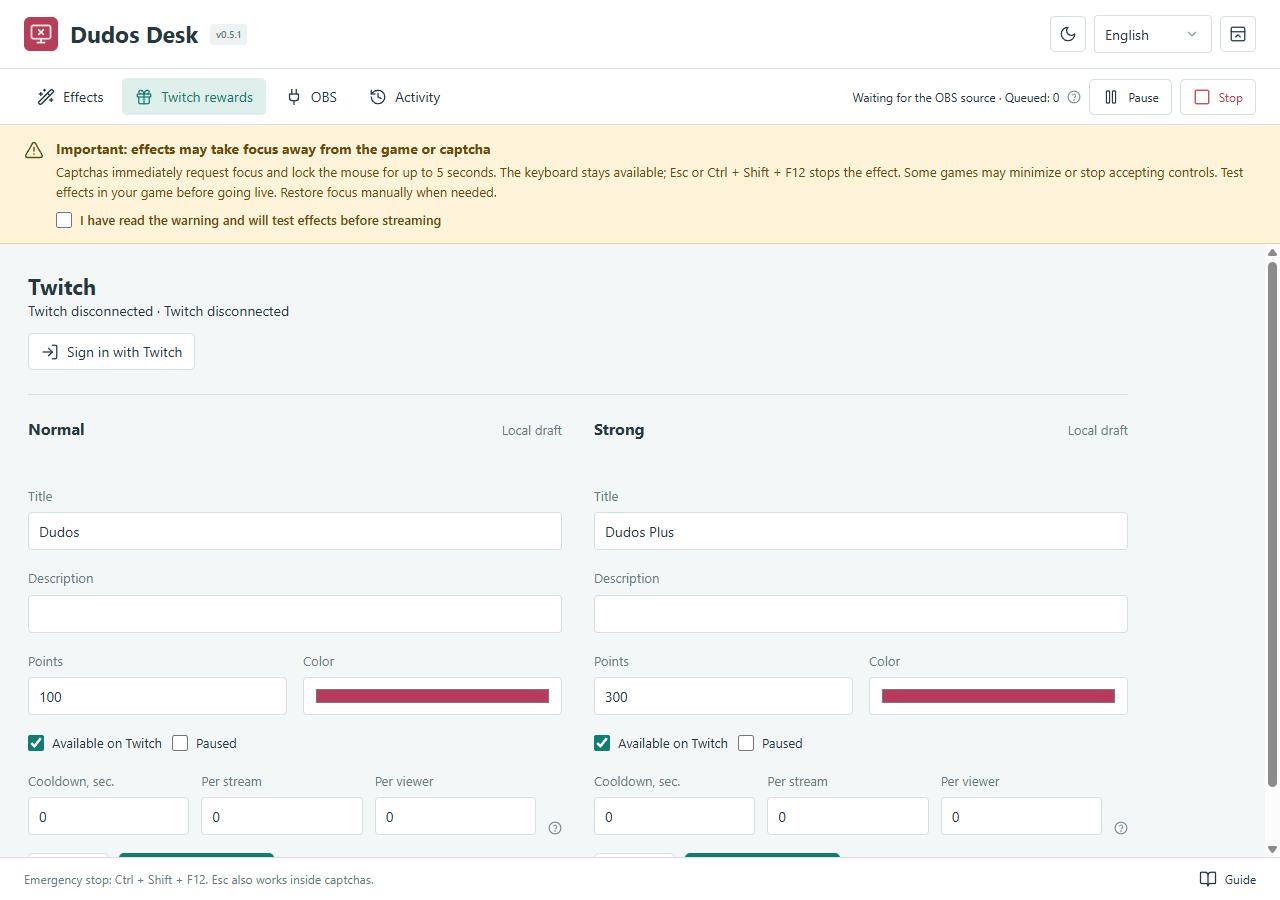
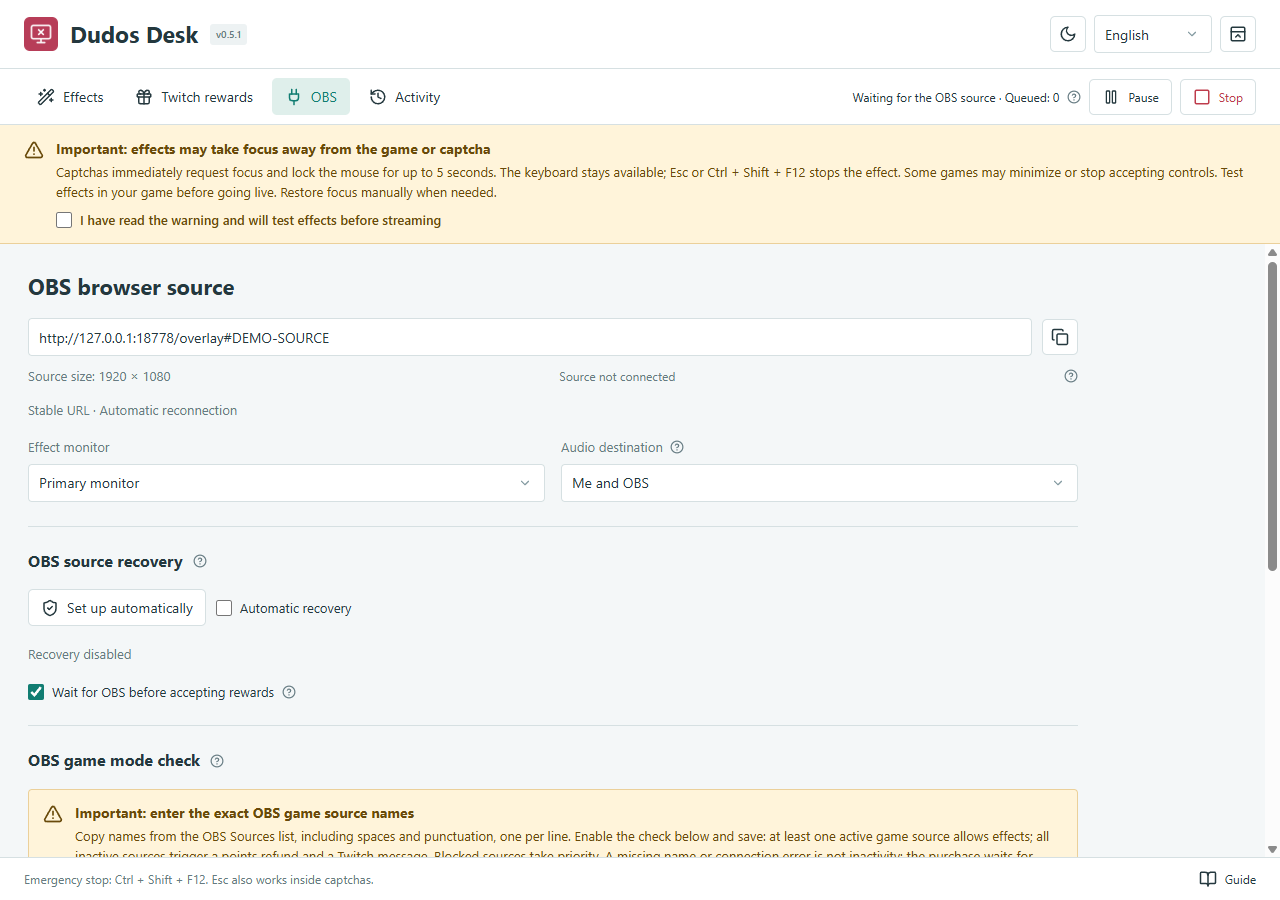
Screenshots use demo accounts. Downloads contain no personal databases. The local badge editor is currently in Russian; badge text can use your own language.
What it does
- Custom fullscreen scares in Dudos Lite: videos or images on your desktop and in OBS. Each item has its own audio, weight, entry/exit animations, directions and speeds. Images default to 5 seconds; videos play to the end, and a selected audio file replaces video sound.
- Seven effects: a fake blue screen, error windows, vignette, text and arrow captchas, reversed WASD and inverted mouse movement.
- Two roulettes, normal and strong, with individual weights, durations and volume. Two Twitch rewards without Streamer.bot.
- W ↔ S and A ↔ D, plus inversion of both mouse axes. Each defaults to 20 seconds and can be set from 1 to 120 seconds.
- Captcha size from 50–200%. OBS mirrors typed text, pressed arrows and incorrect answers.
- An input-safe preview, delayed real test, queue, pause and emergency stop with Ctrl + Shift + F12.
- Direct Twitch connection, pending-purchase recovery and deduplication. OBS source heartbeat and optional automatic recovery setup.
- Light and dark themes; English, Ukrainian and Russian. EXE installer and portable ZIP.
Installation
- Install the EXE for your Windows user. Read and acknowledge the focus warning on first launch; real effects remain blocked until you do.
- Configure weights, durations and sound. Use the preview first, then the real test with a 10-second delay and return to your game. Check the emergency stop before connecting rewards.
- Copy the URL from the OBS tab and add a 1920 × 1080 Browser source. Keep it active in your gameplay scene. Game Capture alone usually does not capture windows placed over your desktop.
- Enable “Control audio via OBS” for source sound. Select “Monitor and Output” in Advanced Audio Properties to hear it yourself and send it to viewers; choose your Monitoring Device in OBS audio settings. Avoid capturing the same sound again through Desktop Audio.
- Sign in with your account under Twitch rewards. Set prices, colors and limits, then create the normal and strong rewards in Twitch separately. Saving a draft does not publish a reward.
Portable ZIP
Portable uses the same Windows profile as the installed app. It does not store your profile on a USB drive.
- Extract the entire ZIP into a permanent folder.
- Run DudosDesk.exe. Do not run another copy at the same time.
Settings and controls
| Setting | What it does |
|---|---|
| Duration and weight | From 1 to 120 seconds; inversion defaults to 20 seconds. Weight 0 excludes an effect from a roulette. Repeats are possible. |
| Gameplay guard | Enable the OBS guard and copy exact game source names, including spaces, one per line. A confirmed inactive gameplay mode refunds points and posts the reason to chat and history; connection errors hold the purchase for verification. |
| OBS connection | The browser source sends heartbeats automatically. Automatic setup connects local OBS WebSocket to refresh a stalled active source. A deleted source must be added again. |
| Sound | Choose an audio file, volume and destination: yourself, OBS, both or muted. OBS headphone monitoring requires Monitor and Output. |
| Queue and stop | Up to 20 waiting effects. Purchases are fulfilled when accepted into the queue; Stop clears it without automatically refunding already fulfilled purchases. |
| Reward limits | Zero disables per-stream, per-user and cooldown limits. Update the reward in Twitch after editing an already published reward. |
Update without losing your data
Exit Dudos Desk and install the new EXE to the same location, or replace the portable files. Rewards and settings live separately; do not delete the profile. Make a backup first. After upgrading an older version, refresh the OBS browser source cache once; its URL stays the same. The legacy DDOS app and its rewards are not automatically imported or removed.
Data and security
%APPDATA%\DudosDesk
Verify your download
Builds are not code-signed, so Windows may show a reputation warning. Verify the source and SHA256 checksums; do not disable system protection.
Compare your downloaded file’s hash with the published value. The links beside each hash open the release checksum files.